Overview
This project was completed during my time as an Interaction Designer on the Firebase team at Google. Firebase is Google’s mobile app development platform that helps developers build, improve, and grow their apps.
The Emulator UI is a local web app that allows you to manage local emulators that make up the Firebase Local Emulator Suite. It allows you to shift away from Firebase’s online connected service and lets you start your development workflow with local instances.
My Role:
UX Design Lead
Project Length:
5 months
Collaborators:
1 Product Manager, 6 Engineers, 1 Tech Writer, 2 UX Researchers
Tools Used:
Figma
Methods Used:
Wireframing, Prototyping, Personas, Product Analysis, User Testing
Our Goal
The main goal of the Emulator Suite UI was to increase wide adoption of a local development workflow.
Understanding the Problem Space
What is the Firebase Emulator Suite?
The Emulator Suite lets developers write code using Firebase services all within a local environment. The Emulator Suite is a local environment where as the Firebase Console, is more of a production environment.

So how do Emulators help?
A key part of the developer experience in any developer product is speed.
Emulators are a great way to offer a lightning fast local environment. A local environment is most ideal for testing because it is a sandboxed environment so you don't have to worry about affecting anyone else's workflow, pushing any unwanted changes to your app, or causing a billing spike.
What did developers use to test before?
Previously developers were using a production environment, the Firebase Console as a primary means of testing their app which is not ideal.

Why did we build the Emulator Suite UI?
The problem was that wide adoption for the Firebase Emulator Suite was blocked because it was geared more towards a more Command line/terminal focused experience which was not as approachable to novice and junior developers.

Defining our users
In order to get a better understanding of why wide adoption was being blocked, I worked with my PM to distinguish the different users of the Emulator Suite and what their pain points were. These insights helped guide us in creating the right solution.

Designing the Solution
To increase wide adoption of a local first workflow, we created the Emulator Suite UI. The Emulator Suite UI lowers the barrier of entry with an experience reminiscent of the Firebase Console but optimizes developer workflow with local exclusive features.
In designing the Emulator UI, I faced three key design challenges. This was creating creating familiarity, establishing a difference and optimizing for a testing workflow.
Creating Familiarity
According to a report from the Firebase yearly conference, Fireconf, developers desired replicating the Firebase Console experience in the Emulator Suite. This was especially prominent in the database products, Firestore and Realtime Database.

We kept the UI the same with some minor changes and identified other areas for differentiation. Keeping a familiar experience for developers to use, unblocks novice and junior developers.

Establishing a difference
A developer might confuse the Firebase Console UI and the Emulator Suite UI. They might possibly push an unwanted change to their production environment if both UI's looked the same.
Looking at the Firebase Console, I identified two key areas to make simple yet effective changes. These two areas were the location of the navigation bar and the color of UI components.
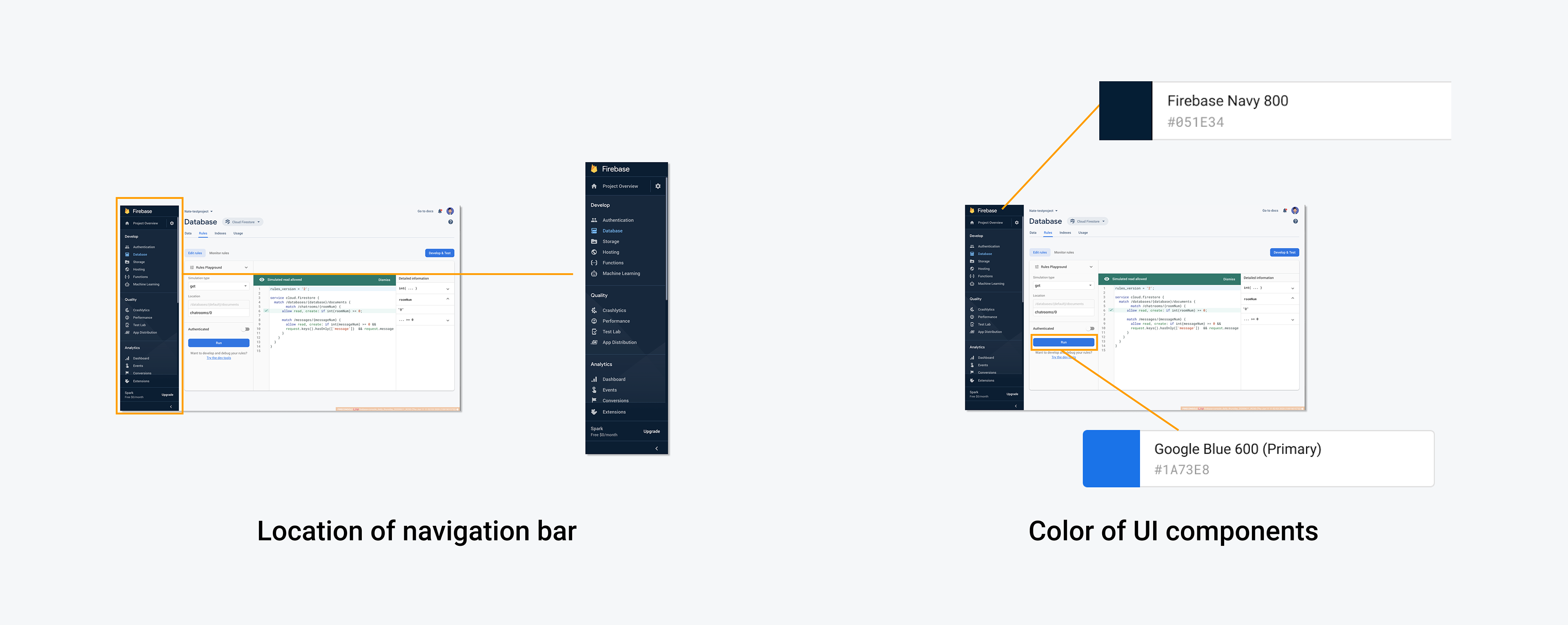
The navigation bar is the largest identifier for the Firebase Console. As soon as you load the page, it's one of the first things you see and it stays with you throughout your experience.
I experimented with multiple versions of the navigation UI including different orientations and visual treatments. Ultimately we decided on moving the navigation to the top of the UI as opposed to the side in the Firebase Console.

Also leveraging color to create a difference between both the Firebase Console and Emulator UI was a simple yet effective change.
I worked with my product team to choose Google purple as the primary color for UI elements as well as a different shade of Firebase Navy for the navigation bar.

Working with UX research to run usability studies, I was able to find out that users were able to successfully differentiate between the Firebase Console UI and Emulator Suite UI and they designated the navigation bar and new UI colors as primary identifiers they were not in the Firebase Console.

Optimizing for a Testing Workflow
The Emulator Suite was made as the best solution for developers to test their app. I designed the Emulator Overview Page and the Logs-viewer to help prioritize a testing workflow.
Overview Page
Previously, in the CLI focused experience, it was difficult to keep track of which Emulators you had on as well as what ports to connect your app to.
I designed the overview page so that our three groups of users are able to quickly set up their local environment and emulators for testing.

Insights from usability sessions identified that developers overall understood how useful this page could be in setting up their apps for testing. Though there were minor optimizations that could be made such as increasing visual distinction between Emulator product cards. I updated the Overview Page based upon user feedback.

Logs-viewer
The Logs Viewer keeps detailed logs of cloud function triggers and their invocations within the different products of the Emulator Suite. It was a powerful tool for debugging, but it was hard to adopt. The CLI focused experience was hard to parse through for valuable information.
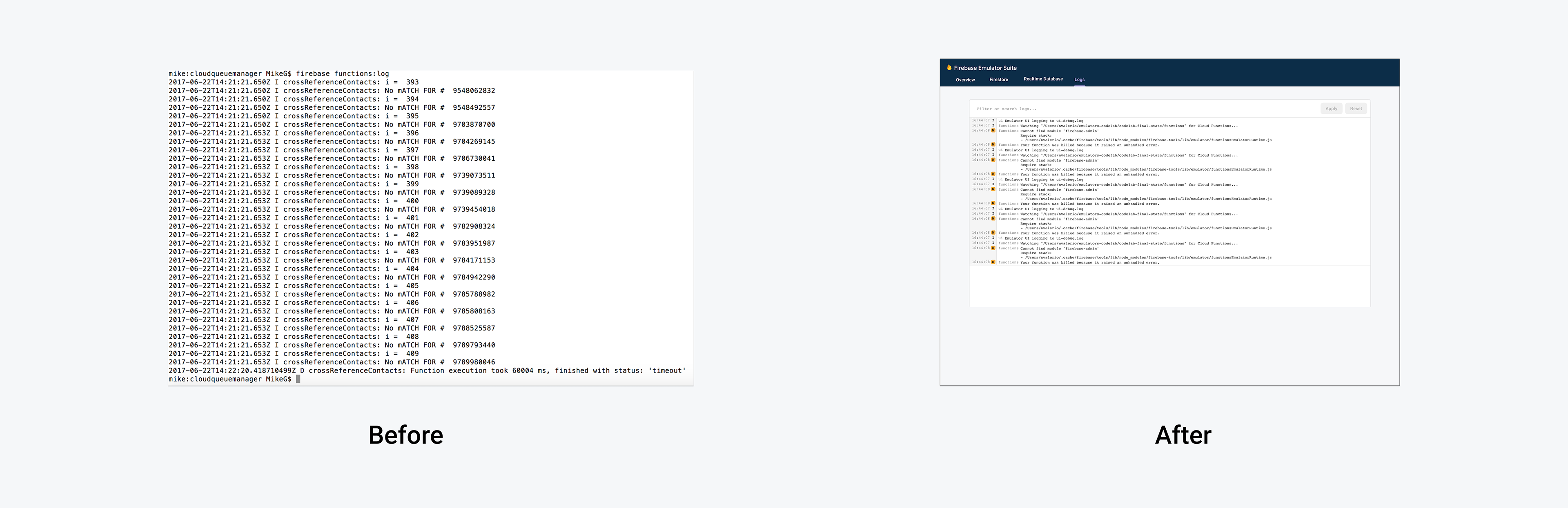
When thinking about most the ideal experience for the logs-viewer, my team and I looked at the UI in the Google Cloud logging. We loved the wide options of filtering not only by preset menus but by custom queries. Though, I believed the experience could be simplified.

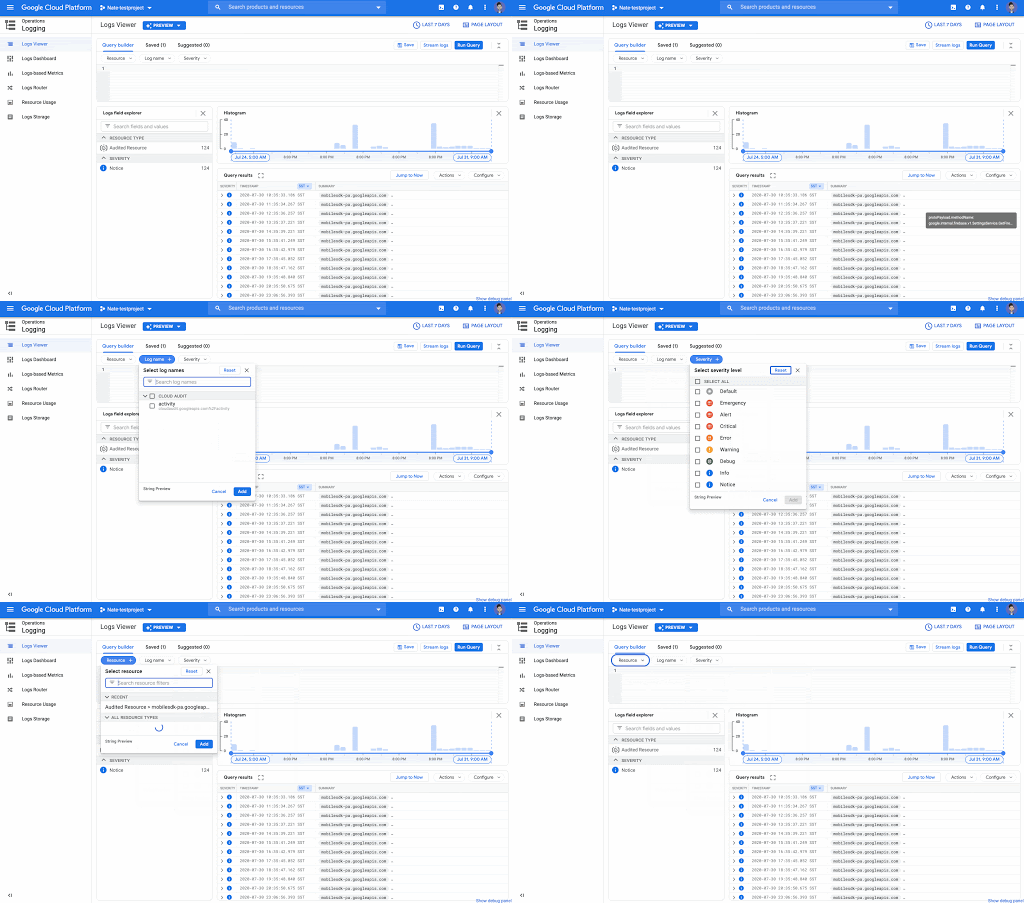
I took inspiration from the powerful filtering capabilities from the Cloud Logging UI but stripped it from the rest of the features associated with it.
The feedback we received for this feature was super positive. Users were able to jump right in and they were absolutely thrilled with its capabilities.

Impact
The Emulator Suite UI was the most retweeted feature in Firebase history and is tied for the second most liked tweet in Firebase history. The developer response to this feature was overwhelmingly positive. They absolutely loved it.

The Emulator Suite is all over media. Developers everywhere are using it and they are making tutorials to help other developers integrate it in their workflow.

Reflection
What I learned?
The biggest lesson that I learned was during the visual differentiation part of my design story. I learned that it's not always the biggest and most wild changes that make a huge difference. It's the small and well executed changes we make that are sometimes more impactful.
What would I do different?
If I had more time, I would have liked to have explored the connection between the Firebase Console and Emulator Suite UI. How do we transition users who were primarily testing to the Firebase Console to the Emulator Suite UI seamlessly? I wanted to explore a onboarding journey that helps developers understand they should progressively move from the Emulator Suite to the Firebase Console when creating their app.