Overview
This project was completed during my time as an Interaction Designer on the Firebase team at Google. Firebase is Google’s mobile app development platform that helps developers build, improve, and grow their apps.
The Rules Debugger allows developers to dig deeper into their security rule sets in order to diagnose any problems and validate that the security measures they have put up are working correctly.
My Role:
UX Design Lead
Project Length:
6 months
Collaborators:
1 Product Manager, 2 Engineers, 1 UX Researcher
Tools Used:
Sketch, Invision
Methods Used:
Wireframing, Prototyping, Personas, Product Analysis
Our Goal
Our goal is to help improve the Security Rules experience by introducing a way for developers to debug and learn about their rules within the Rules Playground.

Understanding the Problem Space
What are security rules?
Security Rules are a way for Firebase developers to authorize data access for their users. Writing security rules helps secure three Backend as a Service product areas (Storage, RTDB and Firestore).
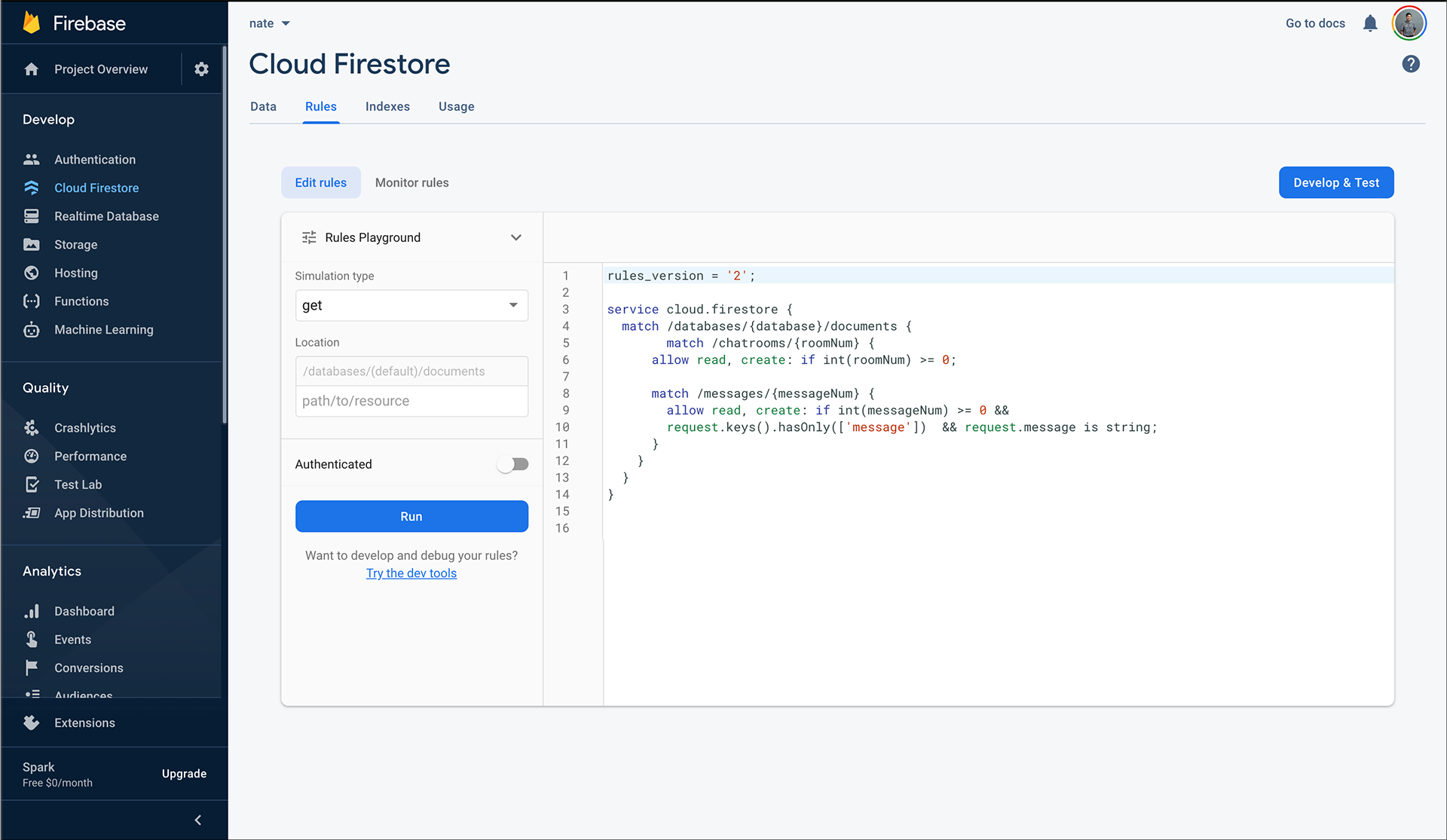
What is the Rules Playground?
The Rules Playground was created to enable new users to learn how rules work by sending test requests.
The user can create a fake requests against the backend and the Rules Playground evaluates the request against the rules and determines if it would succeed, fail, or short circuit.
Why are we building this?
The problem with the rules playground previously, is when a request is denied or failed in the Rules Playground, there is a lack of information present in order to diagnose this problem. There is no debugger or stack trace within the Rules Playground to provide a solution.
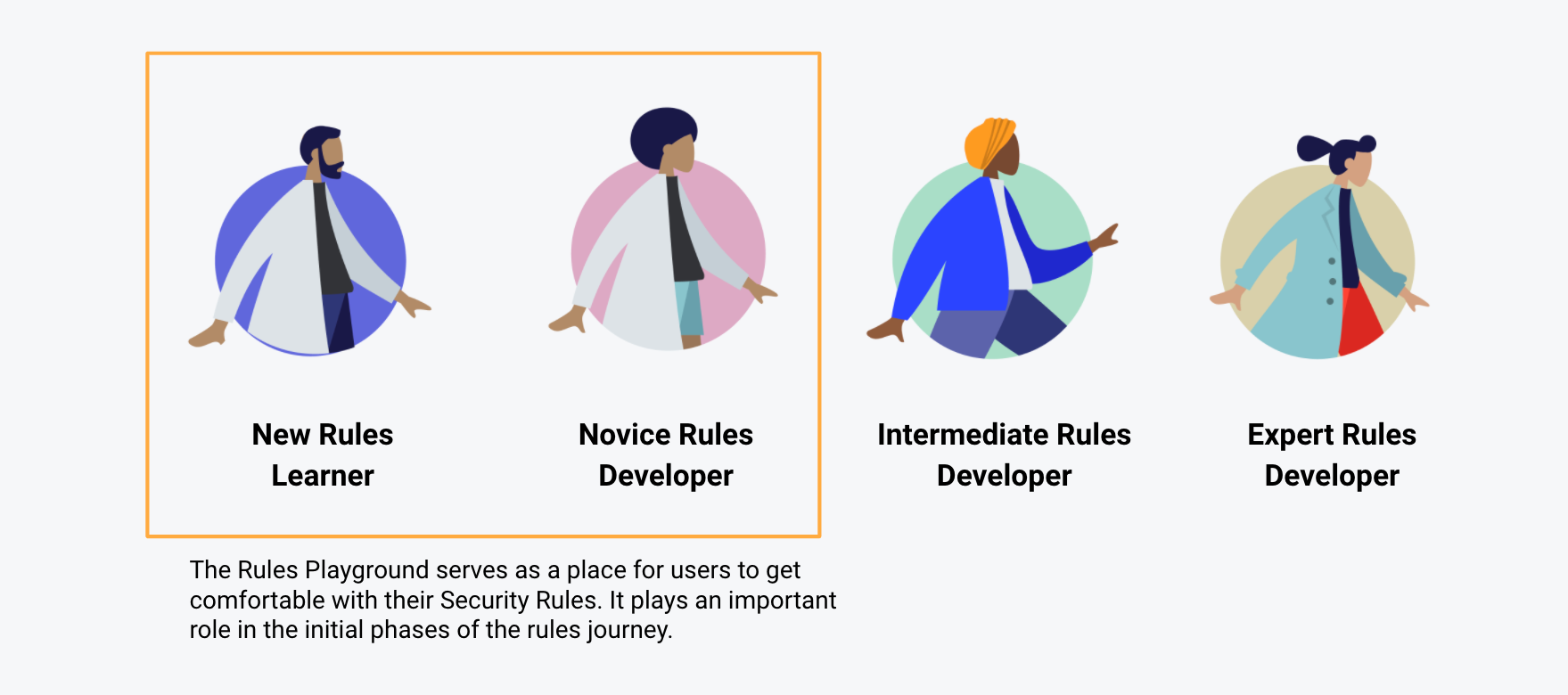
This is unfortunate because the Rules Playground is where developers in the initial phases of their rules journey come to learn how rules work. With no exact way to pinpoint problems, it was a struggle for Novice Rules Developers to transition towards intermediate and expert levels.
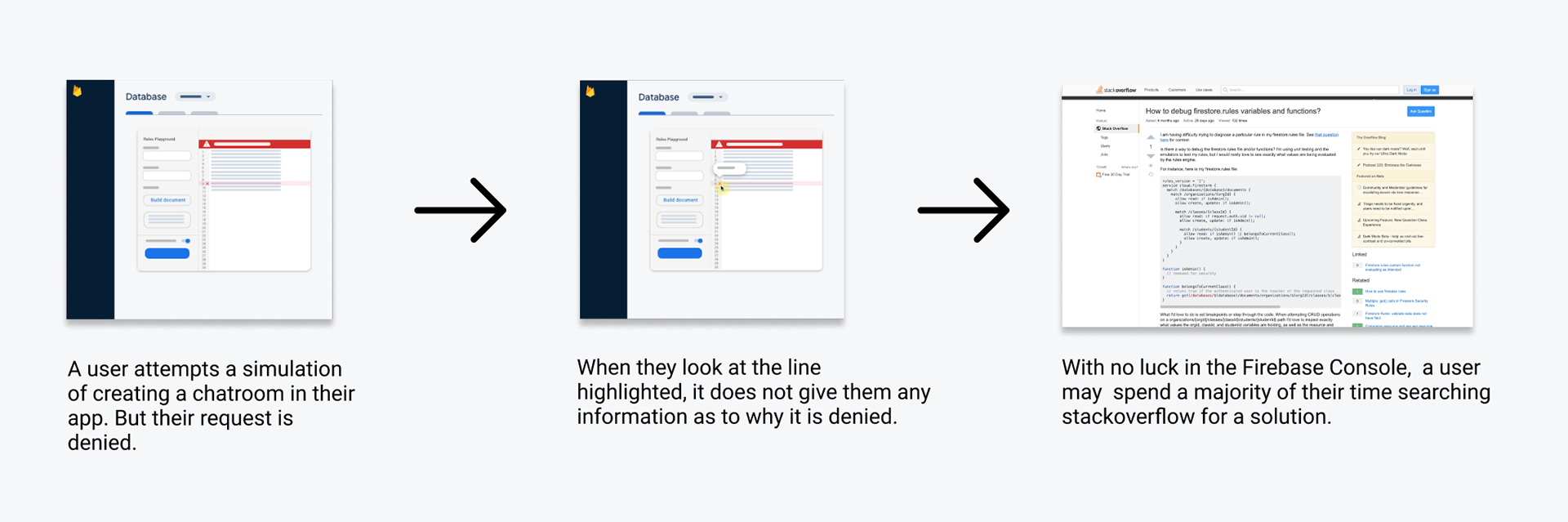
The problem with the previous debugging journey is that it holds a major consequence in terms of app security. If a developer has trouble understanding how to properly write and debug their rules, they may leave their app unsecured and this can lead to unwanted PR situations such as the one below.

Creating the Solution
To create a debugging solution for our users, we faced 4 key design challenges:
What information should we surface?
Working with my PM and Engineers, we looked at the rules syntax and examined which items we were important for developers to debug their rulesets. Essentially, we wanted to examine whole rules expression and its following components:
1. Resource
2. Request
3. Function Evaluations
4. Variable Values
How and when do we show the detailed debugger?
Our explorations leveraged off of existing UI patterns that developers were familiar with such as having a side panel or detailed section. I wanted to prioritize jumping in as fast possible without much onboarding.
Initially, we wanted to have two modes of debugging: minimal and detailed.

For our MVP release we chose to keep the sidebar always present when a simulation request was run. The detailed information would always be present and thus give developers direct access to what certain parts of their rules code evaluated too and why that may have caused an error in their ruleset.

At first, I tied turning the debugger on/off to a toggle much similar to how some IDE’s do debugging. Though, I eventually moved past this idea since debugging was a primary use case as soon as you run a request.

What is the best way to highlight important information?
I took inspiration from the Element Inspector in the Google Chrome dev tools when creating the Rules Playground debugger. I liked how it broke up components and their properties when hovering over their individual divs.
A developer in this UI can dive deep into why their rules may not working by examining what individual parts of an expression evaluate too.

Highlighting code in the editor also highlights corresponding information in the sidebar so developers can see which information pertains to what section of the expression.

Additionally, clicking on a highlighted item in the code opens/closes up the corresponding section in the sidebar. This allows developers to quickly see what that particular highlighted item evaluates too and what other information it contains.

How do you distinguish between read and write states?
When in read mode, you’re examining your ruleset to debug or validate but when in you are in write mode you’re back in the code editor trying fix or modify your ruleset.
The transition between read and write states is a synonymous flow instead of two separate modes. Code highlighting is only turned on during read mode. When a user types into the code editor, it renders the simulation outdated and turns off code highlighting.
This allows developers a seamless workflow to debug and fix their rulesets.

What was the impact?
With the release of this feature, novice and new rules learners finally have the ability to debug and test their rules in the Firebase Console UI.
Additionally, the release of the debugger had the following impact:
1. A shared component that could be used in other Security Rules products such as Storage and Realtime Database.
2. High frequency usage of about 3000 daily interactions.
3. A decrease in insecure production instances from 40 to 25%.
4. An increase in protection from PII theft and developer PR incidents.

Reflection
What I learned?
The biggest lesson that I learned during this project was to be vulnerable. I'm not always going to the expert in a new problem space, initially. So I have to remember to rely on my cross functional partners to help get me where I need to go. It's ok to ask for help and not be the expert all the time.
What would I do different?
The biggest thing that I wished I could have done in this project was more form usability testing. Due to some constraints we weren't able to do any formal testing before launch. I believe the product release would have been more successful with more data to validate my design. But in the end we received a lot of good feedback.